

Leonida is a massive place, and driving from one side of the map to the other takes time. Exploring is part of the fun, whether you're cruising through Vice City or roaming the backwoods of Mount Kalaga, but sometimes you'd rather head straight to your destination. Fortunately, GTA 6 offers several ways to skip the long drive. Instead of a typical fast travel system that lets you pick a spot on the GTA 6 map, the game keeps you in the world with in-game transport services: Paradise Taxi and a brand-new rideshare app, RydeMe.
Both services cost money and use your in-game phone: Paradise Taxi takes the cash you're carrying, while RydeMe charges your bank account. Paradise Taxi is available from the start of the game, after the first mission, Gone Fishing, and it's your only way to fast travel until RydeMe unlocks. It can't reach isolated spots like the remote keys or deep in the swamps, but it can take you to fogged, undiscovered areas if you'd like. When Lucia is adjusting to life outside of prison, you'll visit Fleeca Bank as part of the story, which gives you access to services including the RydeMe app.
In short: call Paradise Taxi from your Contacts app  , hail a cab on the street, or book a ride on the RydeMe app
 . Cabs and rideshares can take you to most locations in Leonida, as long as they're reachable by car, and you can talk to the driver to speed up the journey or skip it altogether.
How to Fast Travel with Paradise Taxi

Until you unlock RydeMe, Paradise Taxi is your way to get around quickly. It works much like GTA V's Downtown Cab Co. The in-game help also mentions hailing a cab on the street, but the simplest way to get one is to call it from your phone:
How to Call a Taxi
- Open your phone by pressing Up on the D-pad.
- Select Contacts > All Contacts > Paradise Taxi.
- If you're at an accessible location near a road, the dispatcher confirms that a taxi is on its way to you.
- Look for a white car icon on the minimap. If you don't see it, press Down on the D-pad.
- When your driver arrives, select your destination.
- Hold L2 / LT to focus on your driver, then press Triangle / Y to skip the ride and fast travel. Skipping costs an extra $100, so bear that in mind.
How to Fast Travel with RydeMe
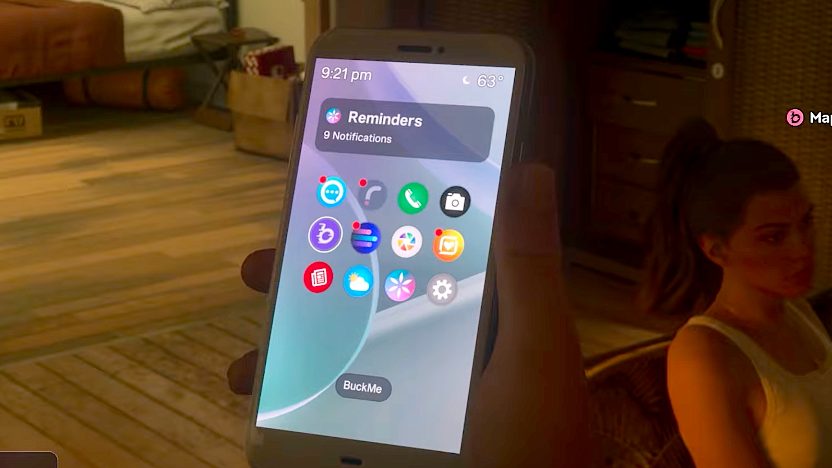
Before you can use RydeMe, you'll need a bank account, which you get in the Buck Me mission: after Fleeca Bank turns you down for bad credit, you set one up on your in-game phone instead.
How to Unlock and Use RydeMe
- Complete the Buck Me mission to get a bank account.
- Once your account is active, the RydeMe app appears on your phone automatically.
- Open your phone at any time with Up on the D-pad and select RydeMe.
- Pick a destination or set a map marker, then pay the fare. The longer the ride, the more it costs.
- Wait a moment for your driver: look for the white car icon on the minimap.
- During the trip, you can listen to music, browse your phone, or chat with your driver or other passengers.
- To skip the ride and fast travel, hold L2 / LT and press Triangle / Y. This costs an extra $100.
If no RydeMe driver is available to take you to your destination, you can always call Paradise Taxi instead. The extra $100 to skip either ride feels expensive early on, but as you progress through the story and earn more money, it becomes a cost-effective way to travel.
New to Leonida? See our guide to what to do in your first hour in GTA 6, the full GTA 6 controls guide, and all our GTA 6 guides.

or post as a guest
Be the first to comment.