
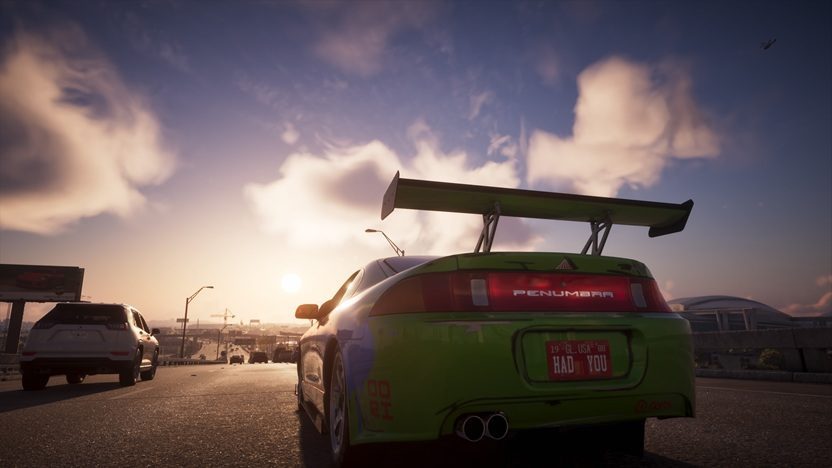
One of the most fun aspects of GTA games has always been stealing cars and making them your own. Up until GTA 5, you simply had to steal a car and park it in your garage to make it yours. However, things have changed tremendously in GTA 6, and the process is no longer that simple.
There are now trackers in many vehicles that can repeatedly activate and reveal your location to the police. This means that even if you take a stolen car to your safehouse, the police may still be able to track it down. Fortunately, there are other vehicles you can steal and keep without worrying about trackers. However, you need to complete an additional step to make them yours.
You need to register the vehicle, and doing so can cost quite a bit of money. In this guide, we'll explain how to register a car in GTA 6, where to do it, and how you can retrieve your registered vehicles whenever you need them.
Wondering whether you can simply buy a car instead? See our guide on whether you can buy cars in GTA 6.
How to Register a Stolen Car in GTA 6
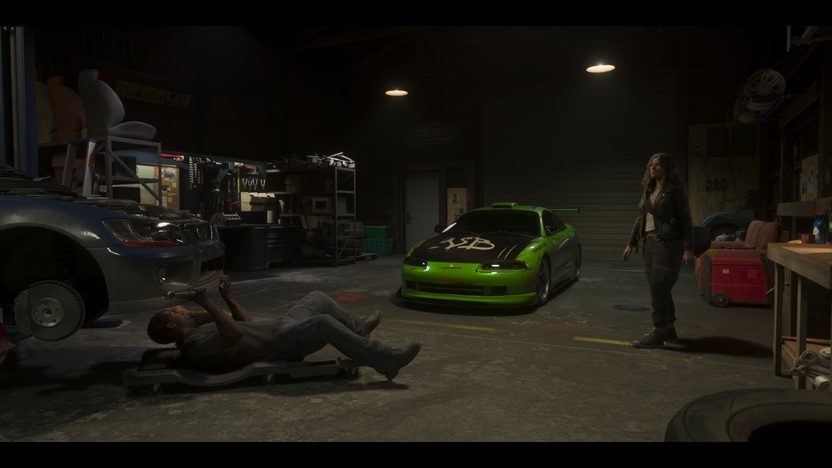
Stealing a car doesn't automatically make it yours in GTA 6. Unregistered vehicles will eventually be lost when you leave them behind, and they won't be available to your character when you load back into the game. They can also be lost if abandoned or destroyed.
Registering a vehicle, on the other hand, makes it your Personal Vehicle. You can request registered vehicles through an in-game app that unlocks during Chapter 2, allowing you to have them delivered to your current location.
Another important thing to remember is that your equipment is stored safely in registered vehicles. If you store equipment in an unregistered car, you risk losing it along with the vehicle. This makes registration particularly important if you want to keep your weapons and other belongings accessible. So, how can you register your car in GTA 6? Unfortunately, you cannot do this early in the game, as you need to reach at least Chapter 2 first.
Once you reach Chapter 2, the process becomes relatively simple. Continue progressing through the story, and Vicki will eventually tell you about a guy named Moses, and his Moses mission unlocks vehicle registration. Once you've unlocked Moses, find a vehicle you want to keep.
Which Car Should You Get Registered in GTA 6?
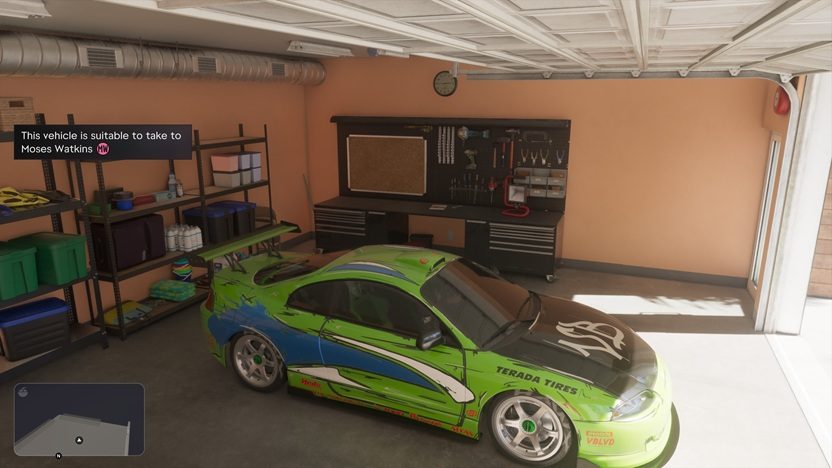
This is particularly important because your first registration is completely free, while subsequent registrations cost money. Therefore, you should be careful about which vehicle you choose to register first.
We recommend getting Paul Walker's car from Fast and Furious or another fast or luxury vehicle you come across during your adventures in Leonida. If you want the former, we have a complete guide explaining how to get that car, so refer to it if you want to make it your Personal Vehicle.
If you prefer another vehicle, make sure you check whether it has a tracker before taking it to Moses. You can do this using WAiNK, an in-game app that allows you to check a vehicle's tracker status.
Also, pay attention to the type of tracker installed in the vehicle. Some cars have advanced trackers that require additional story progression and equipment, including the Key Cloner, before you can register them.
Once you've found a suitable vehicle, drive it to Watkins Auto Parts in Port Gellhorn and talk to Moses inside the garage. He will ask you whether you're sure about registering the vehicle. Confirm your decision, and once the process is complete, the car will become your Personal Vehicle.
However, you may also have to repaint the car as part of the registration process. This can be frustrating, especially if you've managed to find Paul Walker's car and want to preserve its original appearance.
How to Retrieve Your Registered Cars in GTA 6
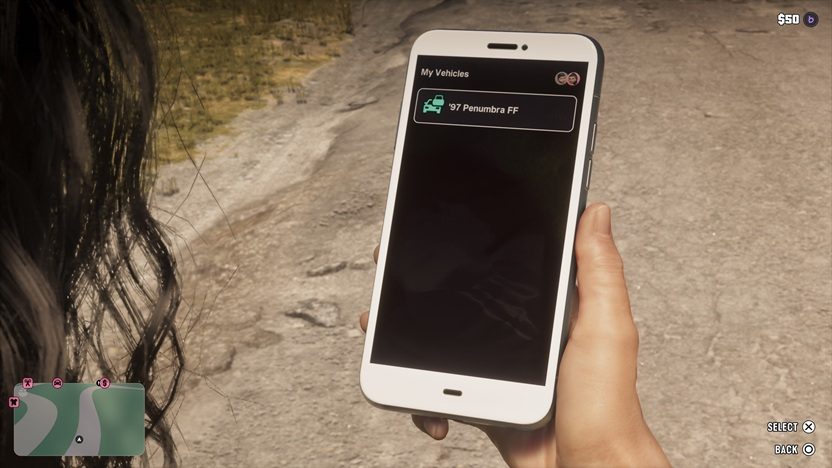
Once you've completed the Moses mission, you'll unlock a new in-game app called Scooter Bros. This app allows you to manage your registered vehicles and have them delivered to your current location whenever you need them.
Here is how you can retrieve your registered vehicles in GTA 6:
- Open your phone: Press Up on the D-pad to bring up your character's smartphone.
- Launch Scooter Bros: Find and open the green car icon to access the app.
- Select your vehicle: Browse the list of registered Personal Vehicles and choose the car you want.
- Choose Request: Select the Request option to arrange delivery.
- Pay the delivery fee: Confirm the displayed charge. The money is deducted from your BuckMe account.
- Collect your vehicle: A delivery driver brings the car to your location, allowing you to get back on the road.
The delivery process is relatively quick, so you don't have to worry about traveling across the map to collect your vehicle.
How Much Does Scooter Bros Charge in GTA 6?
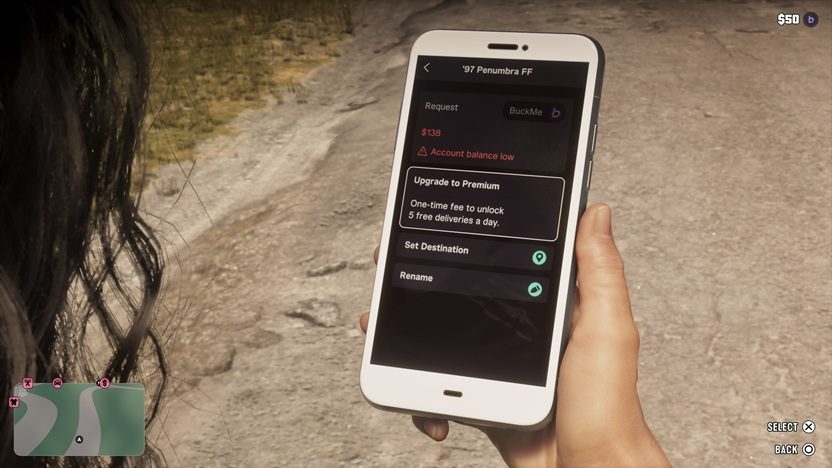
Unfortunately, using Scooter Bros isn't completely free. Each vehicle delivery comes with a fee, which starts at approximately $100. However, this isn't a fixed price, as the final amount can depend on factors such as your distance from the vehicle and its condition. If your vehicle is damaged, additional repair charges may also apply. Similarly, retrieving an impounded vehicle can cost considerably more than requesting a regular delivery.
Fortunately, there is a way to avoid paying for every delivery. Scooter Bros offers a Premium upgrade that costs $12,500. Purchasing it gives you three free service uses per in-game day, which can be used for vehicle deliveries and certain recovery services.
Can Scooter Bros Retrieve Impounded or Destroyed Cars in GTA 6?
Yes, Scooter Bros is more than just a vehicle delivery service. It can also help you recover registered vehicles that have been impounded or destroyed.
Retrieving Impounded Cars
If the police impound your registered vehicle, you don't necessarily have to travel to the police impound lot to get it back. Instead, open your phone, launch Scooter Bros, and look for the Impounded Vehicles section. Select the vehicle you want to retrieve and choose the Retrieve option. The app will display the recovery fee before you confirm the request. Once you pay, Scooter Bros will arrange to have your vehicle delivered to your current location.
Keep in mind that retrieving an impounded vehicle usually costs more than a standard delivery. Depending on the circumstances, the charge can be around $550 to $700 or even higher.
You can also retrieve an impounded vehicle yourself by visiting the impound lot and taking it back, rather than paying the Scooter Bros recovery fee.
Retrieving Destroyed Cars
What if your registered car gets completely destroyed? Fortunately, you don't have to say goodbye to it forever.
Scooter Bros can also recover destroyed Personal Vehicles. Simply open the app, select the vehicle you want to retrieve, and confirm the recovery request after checking the displayed fee. That is pretty much all about how to register stolen cars in GTA 6.
Looking to achieve 100% completion? Keep track of everything with our GTA 6 100% Completion Checklist, explore the complete GTA 6 missions list, and discover all available activities and side missions. If you're just getting started, check out our guide on what to do in your first hour in GTA 6, along with tips on how to fast travel. For more walkthroughs, guides, and helpful tips, visit our main Grand Theft Auto VI hub.
or post as a guest
Be the first to comment.