

Flying in GTA 6 takes a little practice. This guide covers the plane and helicopter controls, how to land safely, and how to use your parachute if things go wrong.
GTA 6 Flying Guide
How to Fly a Plane
| Action | PS5 / Xbox |
|---|---|
| Throttle up (accelerate) | Hold R2 / RT |
| Throttle down (slow down) | Hold L2 / LT |
| Pitch and roll | L-DIRECTION |
| Yaw left / right | Hold SQUARE / X or CIRCLE / B |
| Landing gear | L3 / L |
| Select weapon (armed aircraft) | Hold L1 / LB |
| Shoot | R1 / RB |
| Vehicle menu | Hold LEFT |
| Phone | UP |
| Exit | TRIANGLE / Y |
Use L-DIRECTION to roll left or right or to adjust the pitch, and the yaw buttons for slight adjustments left and right.
How to Land a Plane
- Choose your angle of approach early and avoid last-minute course corrections.
- Hold L2 / LT to reduce your speed.
- Use L-DIRECTION to reduce your altitude steadily.
- Press L3 / L to deploy the landing gear, if needed.
- Close to the ground, keep the nose up until you touch down.
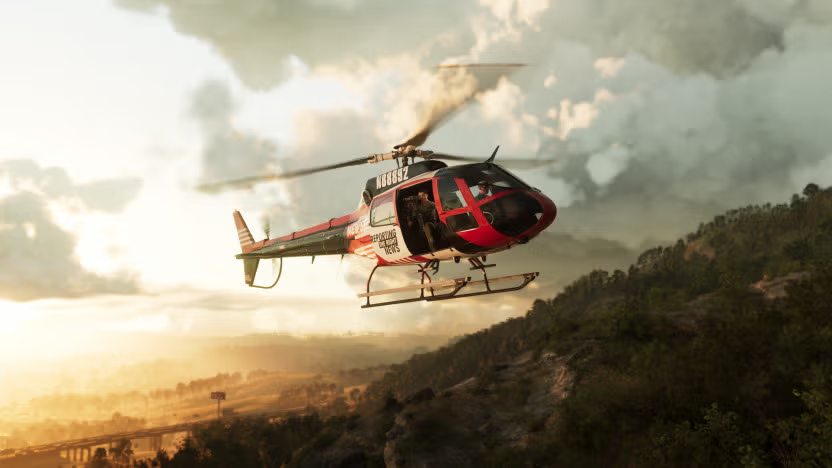
How to Fly a Helicopter
| Action | PS5 / Xbox |
|---|---|
| Gain altitude | Hold R2 / RT |
| Descend | Hold L2 / LT |
| Turn left / right | Hold SQUARE / X or CIRCLE / B |
Helicopters hover in midair if you don't touch the controls. To land, pick a flat area clear of obstacles and descend gently.

Parachutes
Getting into an aircraft automatically equips a parachute, in case you need to make an emergency exit.
| Action | PS5 / Xbox |
|---|---|
| Open parachute | X / A |
| Turn | L-DIRECTION |
| Brake left / right | L2 / LT / R2 / RT |
| Detach parachute | TRIANGLE / Y |
GTA 6 Flying FAQ
How do you land a plane in GTA 6?
Line up early, hold L2 / LT to slow down, lower your altitude steadily, deploy the landing gear with L3 / L, and keep the nose up until you touch down.
How do you hover in a helicopter?
Let go of the controls: helicopters hover in midair on their own.
Do you get a parachute in GTA 6?
Yes, one is equipped automatically when you get into an aircraft.
See the full Controls guide and all GTA 6 planes and helicopters.
or post as a guest
Be the first to comment.