
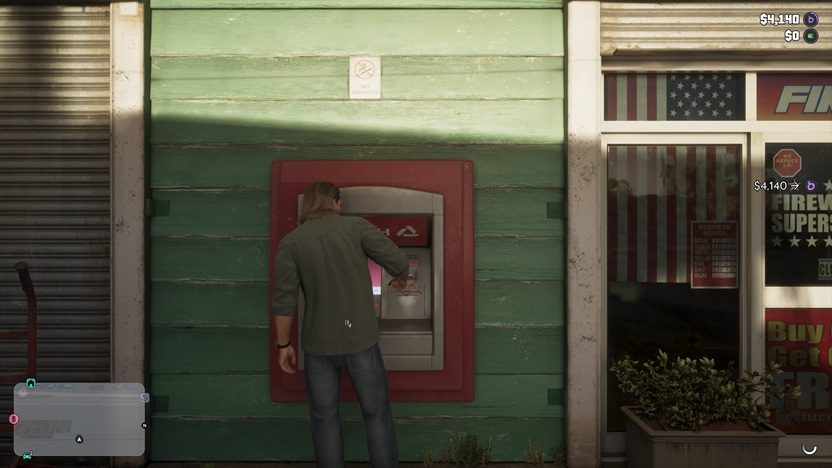
Dying in previous GTA games was not something most players would have worried too much about because it was rarely a big deal. However, in the latest instalment, Grand Theft Auto 6, things have changed, and dying can now have a significant impact on your finances.
Whenever your character dies, whether during a mission, by accident, or at the hands of the police, you risk losing the money you are carrying. This applies to your entire pocket cash balance, regardless of how much you have on you. Money in your bank account is much safer, although you also pay a small BuckMe maintenance fee each time you get wasted or busted.
A bank account is therefore essential if you want to protect most of your hard-earned money. You cannot open a traditional bank account yourself, as this feature becomes available through the main story. Once unlocked, you will get access to BuckMe, which allows you to manage your money, deposit cash, and withdraw funds through ATMs.
That said, you cannot withdraw money directly through your phone. You will need to visit an ATM to access your deposited funds. Here is everything you need to know about opening a bank account and finding and using ATMs in GTA 6.
How to Open a Bank Account in GTA 6
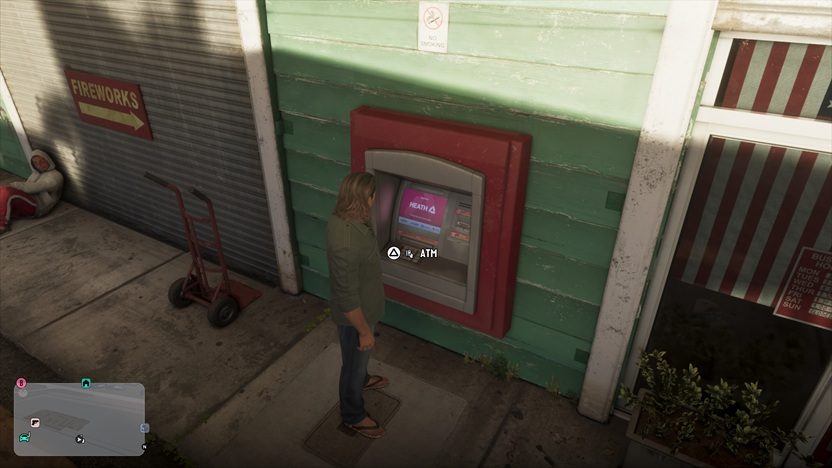
You do not get to open a bank account whenever you want, as the option becomes available through the main story. After Lucia gets out of jail, she calls Jason and asks him to meet her at the Fleeca bank in Key Lento to open an account for her community service pay. This is the Buck Me mission. During this visit, you will unlock a BuckMe account, which comes with certain limitations but is enough to get you started.
Thanks to BuckMe, you will no longer have to collect all your mission payments through the mailbox, as payments can be deposited directly into your account. However, there is a limit on how much money you can receive and store because this is not a traditional bank account.
Your BuckMe Checking Account has a maximum balance, which you raise by reaching Family Savings goals. The first goal, Buckin' Broke, is $5,000 in Family Savings, which raises your checking limit to $15,000.
The next goal, BuckeDry, is $10,000 in Family Savings, and it can increase your checking account limit to $100,000. This is a considerable improvement over the initial $15,000 limit and gives you much more room to store the money you earn. Later goals raise the limit further and unlock discounts (like 20% off RydeMe rides), making it worthwhile to work towards them whenever possible.
This means you can't keep $80,000 in your checking account while its limit is still $15,000. You will need to work towards the higher Family Savings goals before you can increase the amount of money your regular account can hold.
It is also important to understand the difference between BuckMe Checking and Family Savings. Money deposited into your regular checking account can be withdrawn whenever you need it, provided you have access to an ATM. Family Savings, on the other hand, works differently. Money deposited into this account cannot be withdrawn, but it remains protected even if your character dies or gets arrested. Think of it as a separate savings fund that you can build over time without worrying about losing the money.
Unfortunately, you lose Jason's floorboard stash at the end of Chapter 1, so you will need to rely on BuckMe to manage your finances. Until you increase your account limit, it is a good idea to avoid carrying large amounts of pocket cash and deposit your earnings regularly. This way, you will not risk losing everything you have collected whenever you get into a dangerous situation.
How to Find ATMs in GTA 6
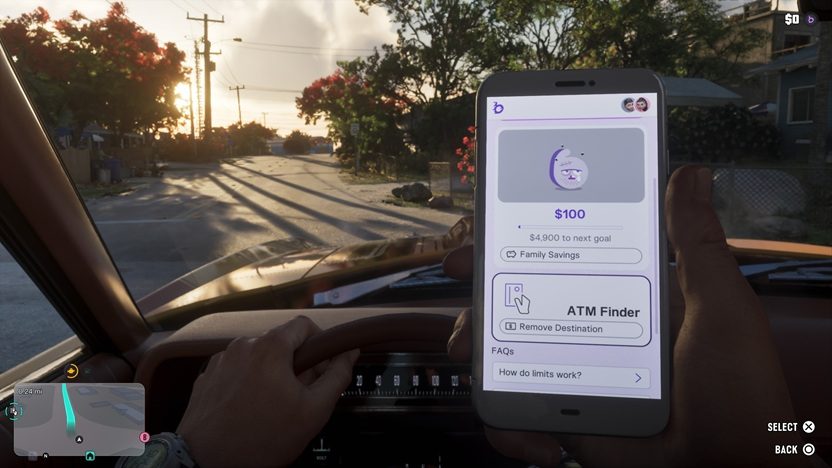
Luckily, you don't have to search the streets randomly to find an ATM.
There are ATMs scattered throughout the game, and you will find them in large numbers across different areas of Leonida. You can also see them all on our GTA 6 ATM locations map, and there's one right next to Jason's house.
Fortunately, finding one is quite easy, thanks to the ATM Finder feature available through the BuckMe app. Simply follow these steps:
- Press Up on the D-pad (Up) to open your phone.
- Open the BuckMe app.
- Scroll down to find the ATM Finder option.
- Select Set Destination.
- Follow the GPS marker to the nearest ATM.
The app will automatically mark the nearest ATM on your map, making it much easier to find one without having to explore the surrounding streets.
How to Use ATMs in GTA 6
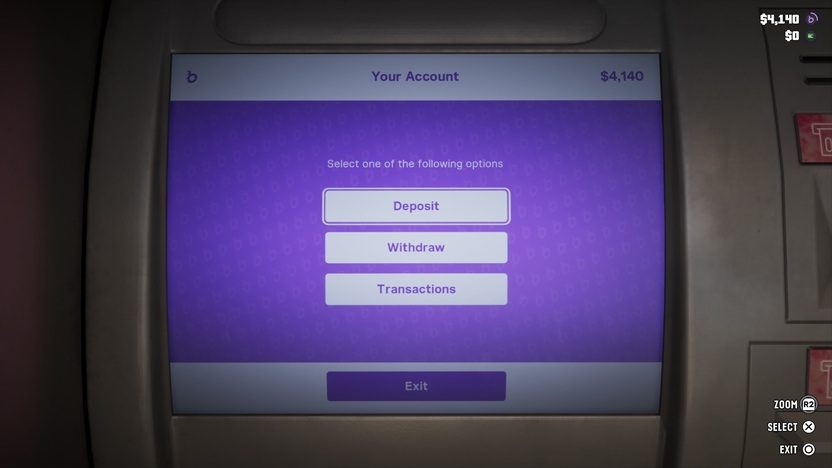
Once you reach an ATM, approach the machine and interact with it to access your BuckMe account.
You will be presented with the following options:
- Deposit Cash: Transfer the pocket cash you are carrying into your BuckMe Checking Account. You can deposit up to $20,000 per transaction, provided your account has enough available space.
- Withdraw Cash: Take money out of your checking account and carry it as pocket cash.
- Recent Transactions: Check your recent deposits and withdrawals to keep track of your money.
Select whichever option you need and follow the on-screen instructions to complete the transaction.
One important thing to remember is that you should avoid carrying large amounts of cash unnecessarily. Although you can withdraw money whenever you need it, doing so puts it at risk if you die or get arrested. Depositing your money regularly is a much better way to manage your finances, especially when playing through missions that involve dangerous situations.
And that's pretty much everything you need to know about finding and using ATMs in GTA 6. With ATMs available throughout Leonida and the BuckMe ATM Finder making them easy to locate, managing your money is much simpler than it might initially seem. For more on protecting your cash, see how to keep your money safe in GTA 6 and how to make money fast. To track your progress towards 100%, use our GTA 6 100% Completion Checklist, and browse the full GTA 6 missions list and all GTA 6 activities and side missions. New to the game? See what to do in your first hour in GTA 6 and how to fast travel in GTA 6. For more guides, walkthroughs and tips, check out our main Grand Theft Auto VI page.
or post as a guest
Be the first to comment.