Comment utiliser la carte interactive de GTA 6
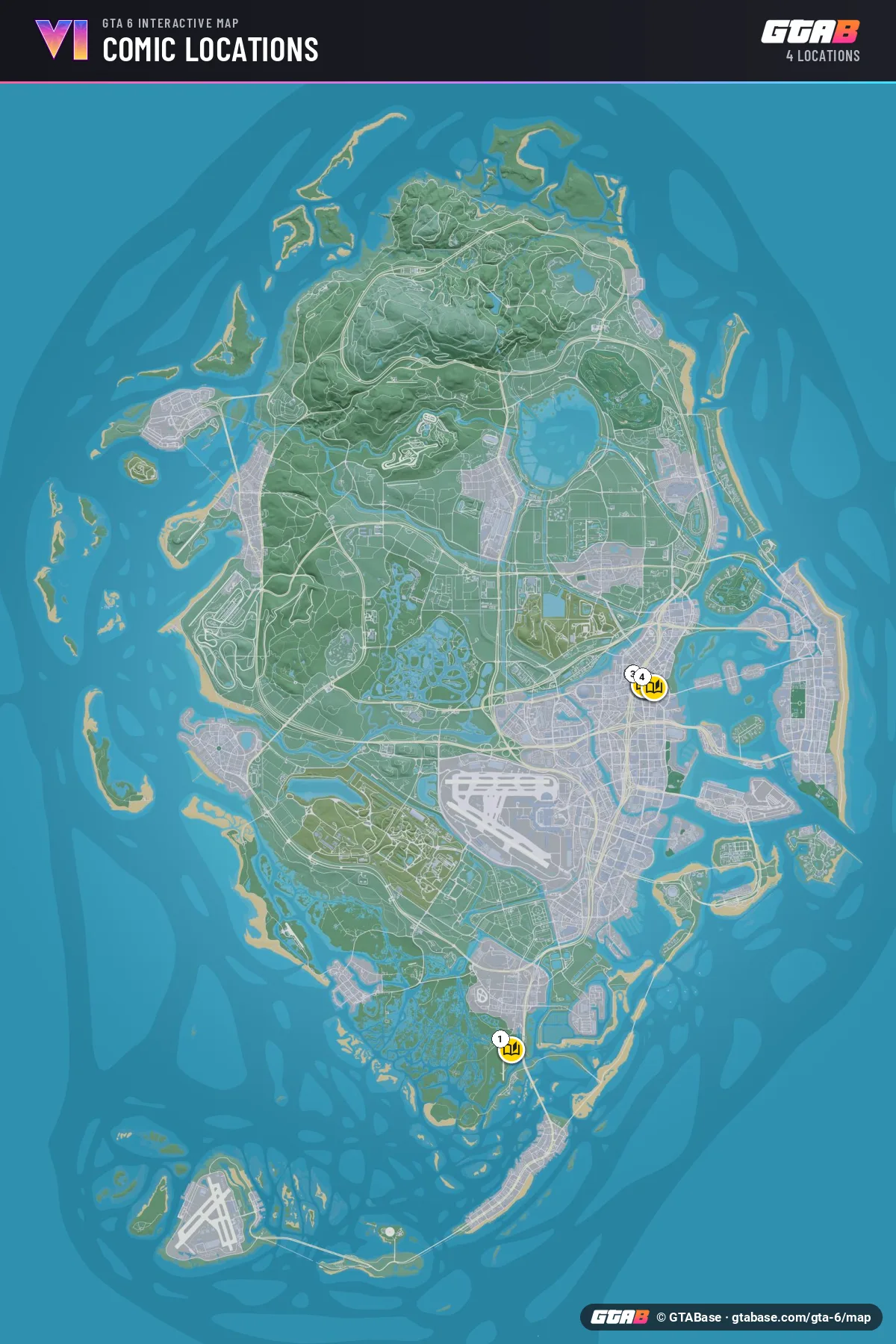
Welcome to the ultimate interactive GTA 6 map and progress tracker for Grand Theft Auto VI. Designed for completionists, our map of the State of Leonida allows you to track collectibles, discover weapon pickups, Propriétés, and navigate every corner of Vice City.
Catégories et lieux filtrables
Utilisez les commandes latérales pour activer ou désactiver des marqueurs spécifiques sur la carte. Repérez facilement les planques, les boutiques, les objets à collectionner, les activités annexes et tout autre type de lieu. Notre barre de recherche vous permet de localiser instantanément des points d'intérêt précis dans tout l'État de Leonida.
Suivi en temps réel et synchronisation du compte
Suivez votre progression vers la complétion à 100 %. En cliquant sur un marqueur, vous pouvez consulter ses détails, le partager et le marquer comme « trouvé ». Lorsque vous êtes connecté(e), votre progression est enregistrée sur tous vos appareils ; en tant qu'invité(e), elle reste dans ce navigateur. Le suivi est gratuit et illimité pour tous.
Personal: Markers, Favourites & Notes
Make the map your own. Pin personal markers on any spot with a name and a description, star your favourite locations, and add private notes to any marker. Everything is collected under Personal in the sidebar, next to your safehouses and garages, visible only to you and synced to your MyBase account.
Suggérez des lieux et grimpez dans le classement
Vous avez découvert un lieu qui n'est pas encore sur la carte ? Proposez-le avec une capture d'écran et notre équipe l'examinera. Les lieux approuvés apparaissent sur la carte avec votre nom à côté. Les contributeurs les plus actifs gagnent une place au classement et, lors de concours spéciaux, des prix.
Conçu pour jouer ensemble
Gardez la carte ouverte pendant que vous jouez. La flèche à côté de chaque catégorie vous permet d'accéder au prochain lieu non exploré, « Cacher les objets trouvés » efface les objets collectés, et le mode plein écran affiche l'intégralité de Leonida. Sur votre téléphone, ajoutez la carte à votre écran d'accueil pour l'ouvrir comme une application.
Adhésion VIP Perks
Les membres VIP bénéficient d'encore plus : aucune publicité sur le site Web, 100 marqueurs personnels, favoris et notes (les membres gratuits en ont 5), captures d'écran et catégories personnalisées pour les marqueurs personnels, jusqu'à 4 profils de carte pour suivre plusieurs parties, et tous les autres avantages VIP MyBase.
Où se déroule l'histoire de GTA 6 ? Explication de la carte de GTA 6
GTA 6 se déroule dans l'État fictif de Leonida, la version de la Floride imaginée par Rockstar. Sa ville principale est Vice City, une version moderne de Miami, et la carte comprend également les Keys de Leonida, les zones humides de Grassrivers, la ville côtière de Port Gellhorn, le cœur industriel d'Ambrosia et les forêts du parc national du mont Kalaga.
Quelle est la taille de la carte de GTA 6 ? Leonida est environ 1,7x fois plus grande que la taille de Los Santos et Blaine County de GTA 5.
Régions de la carte de GTA 6
- Vice City : la métropole illuminée au néon inspirée de Miami, avec ses plages, sa vie nocturne, son port et son horizon urbain.
- Leonida Keys : une chaîne d'îles au sud, inspirée des Florida Keys.
- Grassrivers : zones humides marécageuses inspirées des Everglades, où vivent des hydroglisseurs et des alligators.
- Port Gellhorn : une ville côtière délabrée sur la côte du golfe de Leonida.
- Ambrosia : une zone industrielle au cœur de l'État, construite autour de sa raffinerie de sucre.
- Parc national du mont Kalaga : le nord sauvage et boisé, avec des rivières, des sentiers et des terrains de chasse.
Vous pouvez lire notre guide complet des lieux de GTA 6 pour tout savoir sur les régions, les villes et les monuments du jeu.
How to Use the In-Game Map in GTA 6
Press Touchpad / View to open the map in GTA 6. From there you can set a destination, add markers, and browse the index of everything you've discovered.
How to Set a Destination (Waypoint)
- Press Touchpad / View to open the map.
- Move the cursor to a location and press X / A to set a destination
 .
You can only have one destination at a time, but you can add multiple markers to the map to remember useful locations.
Quick Navigation
You don't always need to open the map: hold Down to use quick navigation, then press R3 / RS on an in-world marker to set it as your destination. Holding Down also shows nearby tasks and locations on the HUD, while a quick press of Down brings up the HUD and your current objective.
The Map Index: Tasks and Locations
Open the map and press Right to view the index. It lists every task and location you've discovered: explore the different sections and hover over an entry to learn more about it. Anything new is marked on the index  , so check the map regularly for new opportunities.
Finding Opportunities Around Leonida
Not everything shows up on the map. Investigating strange noises, confrontations and accidents can lead to new opportunities:
- To interact with someone, hold L2 / LT while looking at them. In a vehicle, hold Up instead.
- Use Focus (L3 + R3) to slow time, highlight nearby items and pick up the direction of unusual noises.
- Hold L2 / LT and press R3 / RS to inspect your surroundings more closely.
For every button in the game, see our GTA 6 Controls Guide, and for what every map and HUD symbol means, see GTA 6 Icons Explained.
Explorez notre base de données complète de GTA 6
Comparez vos découvertes sur la carte de GTA 6 avec nos bases de données complètes, nos listes d'objets et nos guides stratégiques :



ou publier en tant qu'invité
Quel âge as-tu pour ignorer tout ça ?
Soyons réalistes, ce n'est pas si simple, même l'achat d'une licence n'est pas si simple, il y a toujours un ensemble d'accords à signer.
Pour les jeux de course, c'est différent, le budget est prévu à cet effet, mais pour GTA, le budget est alloué ailleurs.
De plus, dans GTA 5, les voitures sont très fidèles à leurs homologues réelles en termes de design visuel, donc je n'y vois rien de mal car elles n'ont pas l'air ridicules.